
The Dawn of a New Era: Google’s Nano Banana Pro Transforms AI Image Creation
The digital content landscape is more competitive than ever. Marketers, designers, and developers are locked in a constant battle to produce high-quality, engaging visual assets at scale. Traditional tools are time-consuming, and generic AI image generators often lack the precision, consistency, and creative control required for professional work. The gap between a simple AI prompt and a studio-quality final image has been vast—until now.
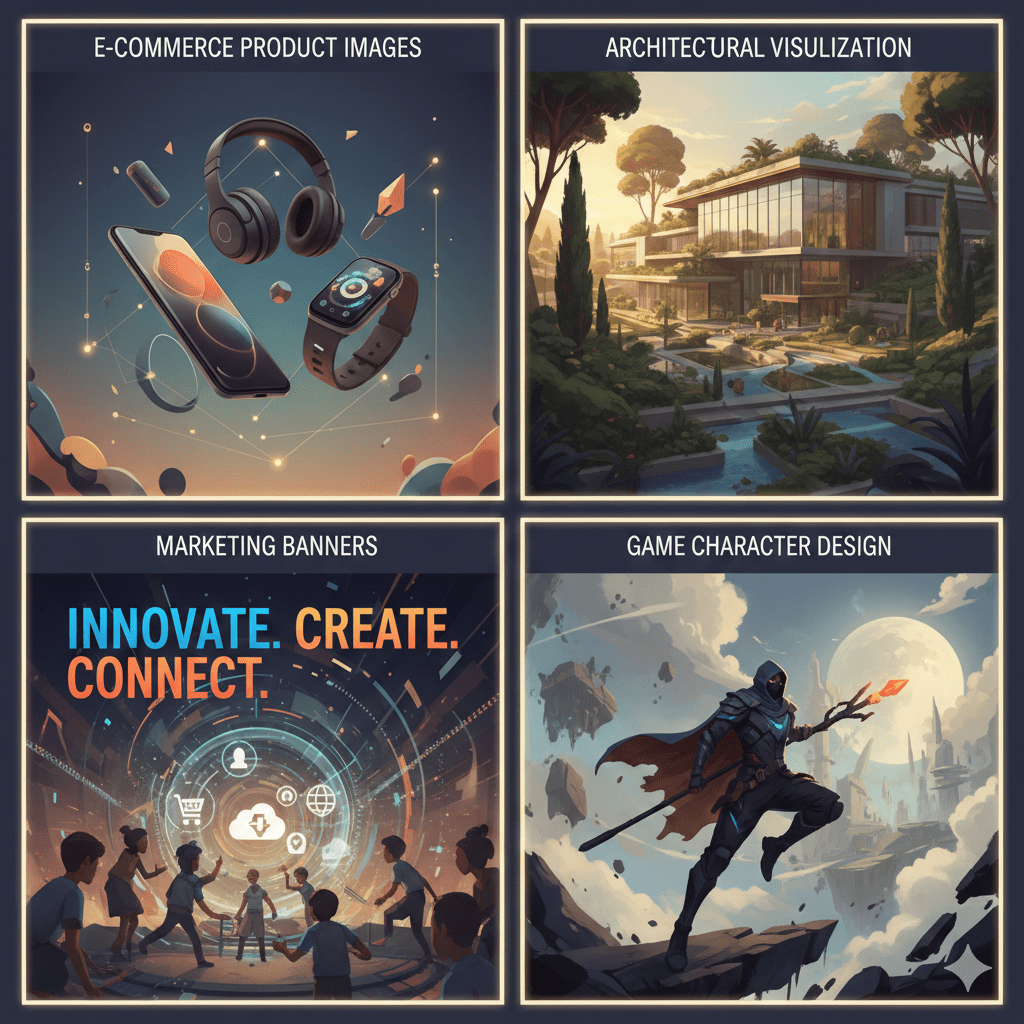
Enter Google Nano Banana Pro, a groundbreaking AI model built upon the powerful Gemini 3 Pro architecture. This isn’t just another image generator; it’s a comprehensive creative suite powered by advanced reasoning. It understands not just pixels, but context, physics, and intent, enabling a level of AI-assisted editing previously confined to science fiction.
In this deep dive, we’ll explore what makes Google Nano Banana Pro a game-changer, from its core technical features to practical implementation and its profound implications for industries from e-commerce to film pre-visualization.
What is Google Nano Banana Pro? Beyond the Name
At its core, Google Nano Banana Pro is a specialized multimodal AI model developed by Google DeepMind. It’s fine-tuned for one primary purpose: to understand and manipulate visual content with an unprecedented level of reasoning and coherence.
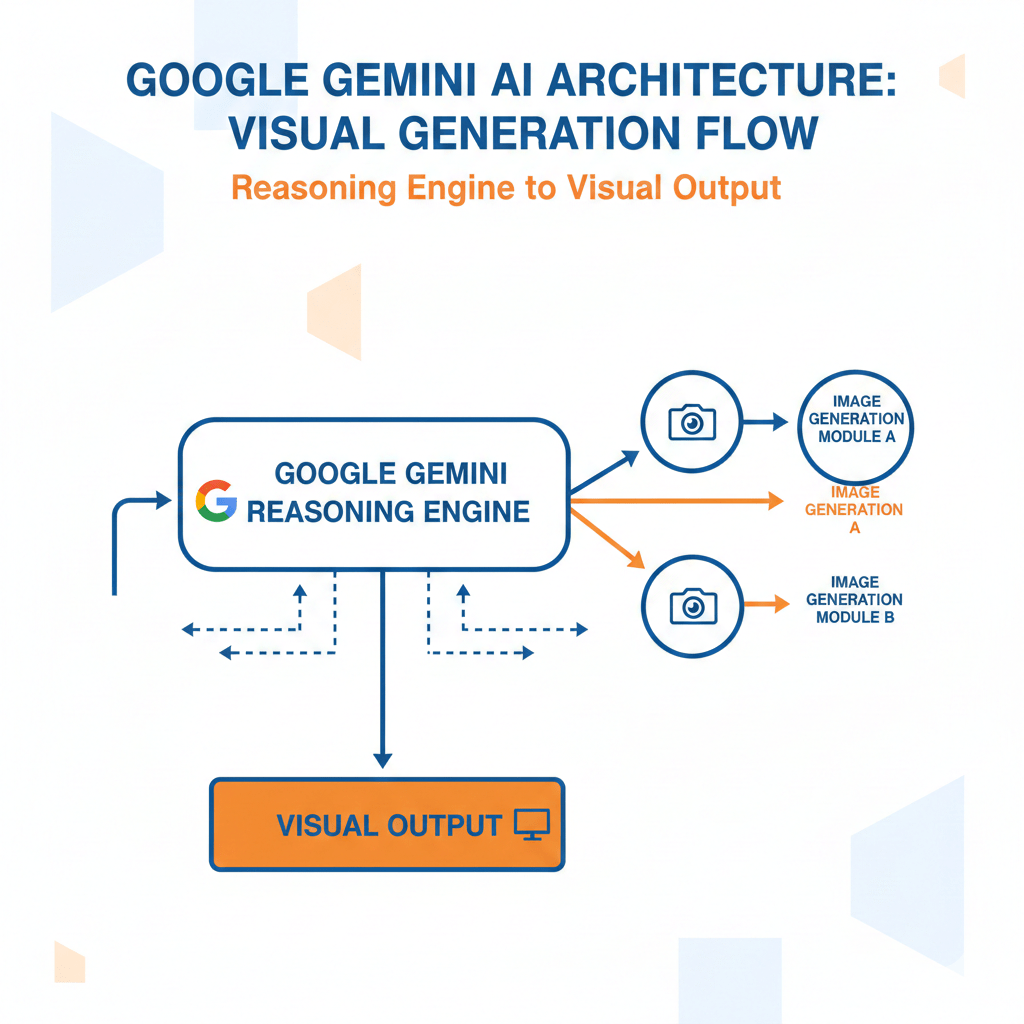
Think of it as a fusion of a powerful image generator and a creative director with a deep understanding of art theory, composition, and real-world logic. Unlike its predecessors that often produced visually impressive but logically flawed images, Nano Banana Pro uses its “reasoning engine” to ensure that shadows fall correctly, textures are consistent, and complex edits maintain physical plausibility.
Core Technologies Powering Nano Banana Pro
The magic of Nano Banana Pro stems from several key technological leaps:
- Gemini 3 Pro Architecture: Built on the next generation of Google’s flagship LLM, it inherits superior multimodal understanding. It doesn’t just see an image; it comprehends it in the context of a prompt or a command.
- Diffusion Model Advancements: Utilizes a new, highly efficient diffusion process that generates higher-resolution images with fewer computational resources, leading to faster iteration times.
- Neural Symbolic Reasoning: This is the secret sauce. It allows the model to apply logical rules and constraints to its creative process, preventing the “hallucinations” common in earlier AI models.
Unveiling the Power: Key Features of Nano Banana Pro
1. AI Image Editing with Advanced Reasoning
This is where Nano Banana Pro truly shines. You can issue complex, natural language commands that it will execute with stunning accuracy.
- Example Prompt: “Take this image of a living room and make it feel like a sunny afternoon. Move the lamp to the right corner, change the rug to a Persian style, and add a cat sleeping on the sofa, ensuring its shadow is cast correctly by the new light source.”
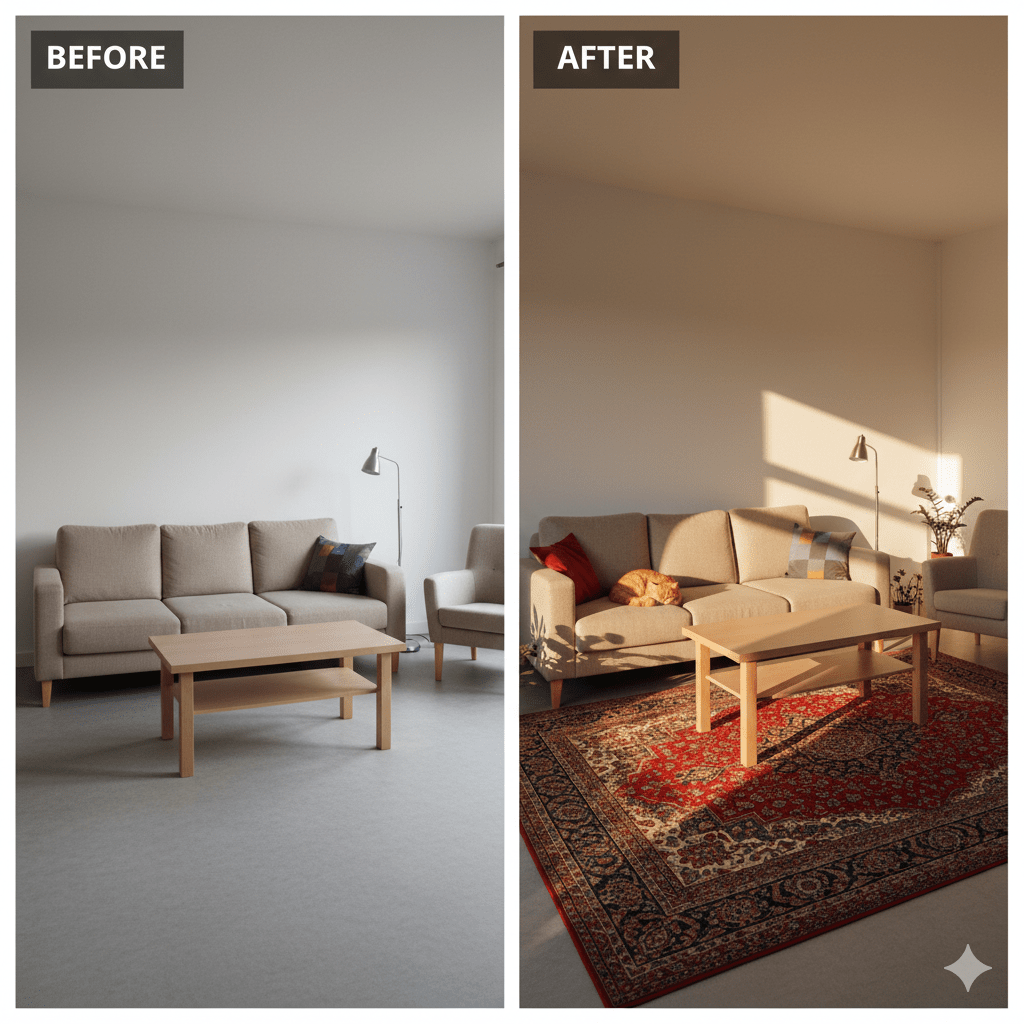
The model reasons about the light source, object geometry, and spatial relationships to perform a composite edit that would require multiple layers and hours of work in Photoshop.
Practical Code Snippet (Python – using the hypothetical Google AIPlatform API):
Python;

from google.cloud import aiplatform
import base64

# Initialize the client and model
client = aiplatform.gapic.PredictionServiceClient()
endpoint = client.endpoint_path(project=your_project, location=us-central1, endpoint=nano_banana_pro_endpoint)

# Encode your base image
with open("living_room.jpg", "rb") as image_file:
    base_image_data = base64.b64encode(image_file.read()).decode('utf-8')

# Construct the request
instance = {
    "base_image": base_image_data,
    "edit_prompt": "Make it feel like a sunny afternoon. Move the lamp to the right corner, change the rug to a Persian style, and add a cat sleeping on the sofa.",
    "consistency_mode": "high"
}

# Make the prediction request
response = client.predict(endpoint=endpoint, instances=[instance])
edited_image_data = response.predictions[0]['edited_image']

# Decode and save the result
with open("living_room_edited.jpg", "wb") as f:
    f.write(base64.b64decode(edited_image_data))
2. Multi-Image Fusion and 3D Manipulation in a 2D Workflow
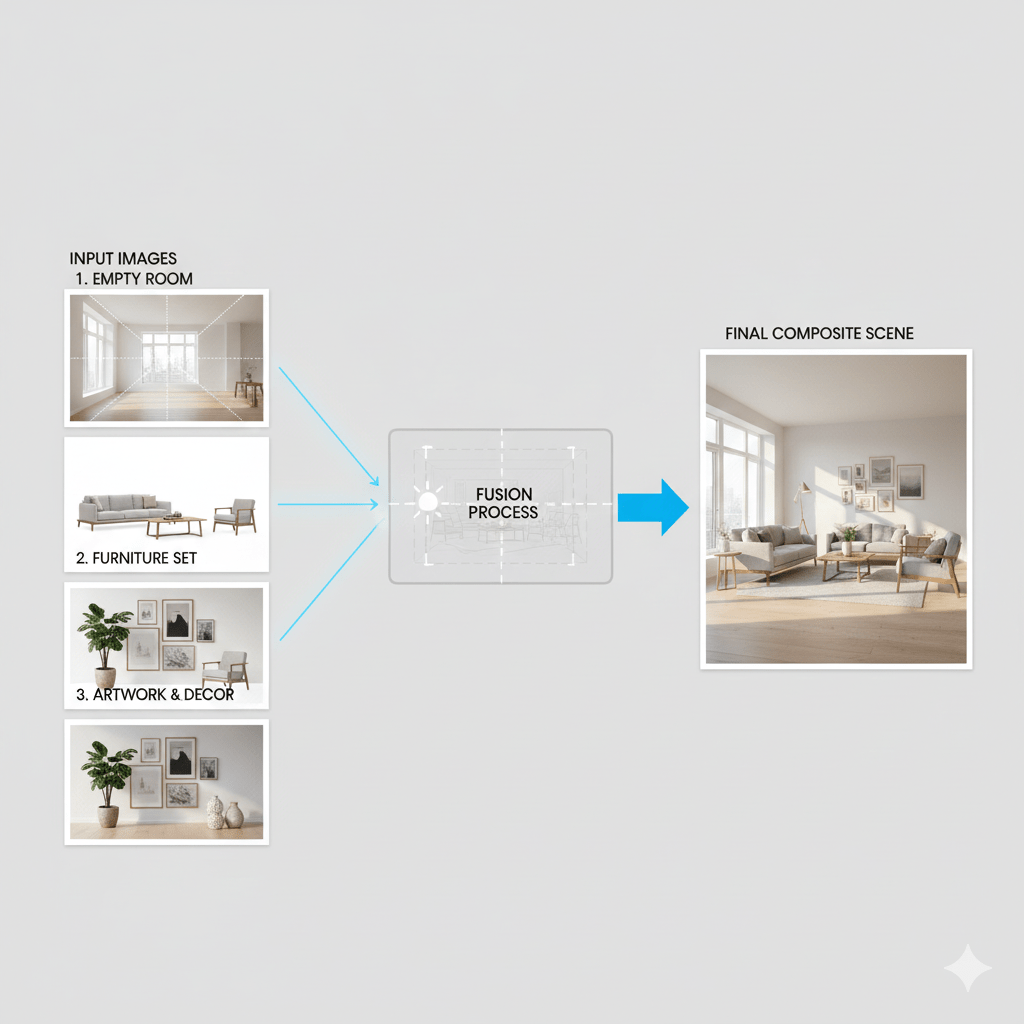
Nano Banana Pro can seamlessly blend elements from multiple source images into a single, coherent final piece. This goes beyond simple cut-and-paste; it involves style transfer, lighting matching, and perspective correction.
Furthermore, its understanding of 3D space within a 2D image allows for manipulations that feel truly three-dimensional.
- Use Case: A real estate agent uploads a photo of an empty room, a photo of a modern couch, and a photo of a piece of art. They prompt: “Place this couch against the far wall and hang this artwork above it, adjusting the perspective to match the room’s vanishing point.”
3. Unparalleled Character and Style Consistency
For creators building comics, storyboards, or branded content, maintaining character consistency across multiple scenes is a monumental task. Nano Banana Pro solves this with its “Character Lock” feature.
By providing a few reference images of a character (or an object), you can generate that same entity in any pose, environment, or style, maintaining core features like face structure, clothing details, and color palette.
Example Workflow:
- Upload 3-4 images of your original character.
- The model creates a “character fingerprint.”
- Prompt: “Show the same character wearing a winter coat, laughing, and sitting in a café in Paris.”
- The output is a new, unique image of your exact character in that new scenario.

4. AI-Powered Infographic Generator and Real-Time Data Visualization
This feature is a boon for analysts, marketers, and educators. You can feed structured data (e.g., a CSV file or JSON) to Nano Banana Pro and describe the desired chart or infographic.
- Prompt: “Create a clean, modern infographic from this sales data CSV. Highlight the Q4 growth with a prominent pie chart and use an upward-trending arrow icon. The primary brand color is #2E8B57.”
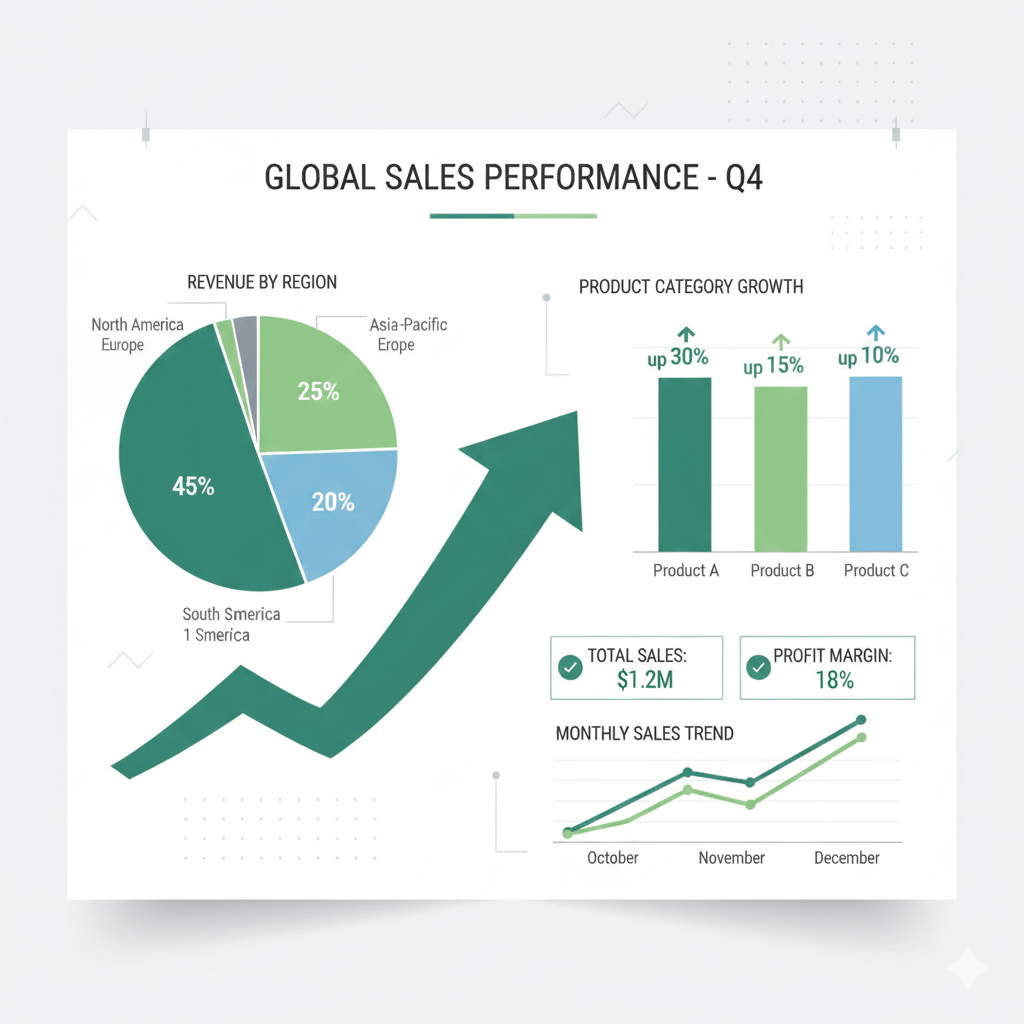
The model acts as both a data scientist and a graphic designer, choosing appropriate chart types, layouts, and visual metaphors to make the data engaging and understandable. This capability for real-time data visualization AI can be integrated into dashboards to auto-generate report imagery.
Nano Banana Pro vs. The Competition: A Clear Winner?
How does Google’s new offering stack up against established players like Midjourney, DALL-E 3, and Adobe Firefly? The differentiation lies in reasoning and control.
| Feature | Google Nano Banana Pro | Midjourney | DALL-E 3 (via ChatGPT) | Adobe Firefly |
|---|---|---|---|---|
| Editing with Reasoning | Excellent (Understands complex, multi-step commands) | Poor (Primarily generation, limited editing) | Good (Follows natural language but limited logic) | Good (Within Adobe ecosystem) |
| Multi-Image Fusion | Excellent (Seamless blending with context awareness) | Basic (Blend function) | No | Yes (Generative Fill) |
| 3D-Aware Manipulation | Excellent (Infers depth and perspective) | No | No | Limited |
| Character Consistency | Excellent (Dedicated “Character Lock” feature) | Inconsistent (Requires heavy prompting) | Good (But can drift) | Fair |
| Integration & API | Excellent (Via Google Cloud AIPlatform) | Fair (Via Discord) | Good (Via OpenAI API) | Excellent (Native in Adobe Suite) |
| Ideal User | Developers, Pro Creators, Enterprises | Artists, Hobbyists | General Users, Content Writers | Designers, Photographers |
Key Advantage: While other tools are brilliant generators, Nano Banana Pro positions itself as an intelligent co-creator and editor, bridging the gap between initial concept and polished final asset.
Putting It to Work: A Step-by-Step Implementation Guide
Here’s how a developer or team can start integrating Nano Banana Pro:
Step 1: Access and Authentication
- Navigate to the Google Cloud Console.
- Create a new project or select an existing one.
- Enable the Google AI Platform API and the Nano Banana Pro API.
- Create an API key or set up a service account for server-side applications.
Step 2: Basic Image Generation Call
The following is a simple cURL command to generate an image from a text prompt.
bash;

curl -X POST
  -H "Authorization: Bearer $(gcloud auth print-access-token)"
  -H "Content-Type: application/json; charset=utf-8"
  --data '{
    "instances": [
      {
        "prompt": "A photorealistic image of a cybernetic penguin with gold-tipped wings, standing on a glacier under an aurora borealis. Studio lighting, high detail."
      }
    ],
    "parameters": {
      "sampleCount": 1,
      "outputResolution": "1024x1024"
    }
  }'
  "https://us-central1-aiplatform.googleapis.com/v1/projects/YOUR_PROJECT/locations/us-central1/endpoints/nano_banana_pro:predict"
Step 3: Implementing a Multi-Image Edit
For more advanced tasks, you would structure your request to include base images and an edit mask or prompt, as shown in the earlier Python example.
Real-World Applications Across Industries
- E-commerce: Generate hundreds of product photos in various settings without a photoshoot. “Show this white sneaker on a rocky trail, on a modern shelf, and being worn with jeans.”
- Film & Animation: Rapid storyboarding and concept art generation with consistent characters and scenes.
- Marketing & Advertising: Create multiple branded ad variants in minutes, not days. Use the AI infographic generator capabilities for data-driven social media content.
- Gaming: Generate consistent NPC (Non-Player Character) variants and environmental assets.
- Architecture & Real Estate: Virtually stage empty properties with realistic furniture and decor.
Explore Google Launches New AI Mode in Chrome
Limitations and The Road Ahead
No technology is without its constraints. It’s crucial to understand the current limitations of Google Nano Banana Pro:
- Computational Cost: The advanced reasoning requires significant processing power, which may translate to higher API costs compared to simpler generators.
- Beta Quirks: As a new model, it may still occasionally misinterpret complex prompts or produce minor artifacts.
- Ethical Considerations: Like all generative AI, it raises questions about copyright, deepfakes, and the provenance of digital media. Google has implemented robust safety filters and watermarking (SynthID), but vigilance is required.
The future roadmap, as hinted by Google DeepMind, points towards even more real-time collaboration, video editing capabilities, and deeper integration with other Google services like Google Docs and Slides.
Conclusion: Is Google Nano Banana Pro Your Next Creative Partner?
Google Nano Banana Pro is not an incremental update; it’s a paradigm shift. By embedding deep reasoning into the creative process, it empowers professionals to iterate faster, experiment more freely, and achieve a level of quality that was previously either impossible or prohibitively expensive.
It moves AI from being a novelty to being a core tool in the professional creator’s toolkit. Whether you’re a developer building the next great design app, a marketer needing scale, or an artist pushing creative boundaries, Nano Banana Pro offers a compelling and powerful set of capabilities.
Ready to experience the future of AI-powered image creation?
- Explore the official Google AI Nano Banana Pro documentation for detailed technical specs and API references.
- Start your project today by heading to the Google Cloud Console and enabling the API. The era of reasoning-based AI editing is here.
Pingback: Google's Genius Upgrade: Why Gemini 3 Flash as Your New Default AI is a Game-Changer - Askanipress
Pingback: Google's Gemini 3 Flash: The AI That Doesn't Just See It Acts - Askanipress